Καλωσορίσατε στο ιστολόγιο της Βιβλιοθήκης του Πανεπιστημίου Κύπρου
Scripta Πτερόεντα;
Ναι.
scripta πτερόεντα.
Επειδή στο ψηφιακό, διαδικτυακό περιβάλλον δεν ισχύει scripta manent, verba volant.
Εδώ, τα γραπτά (scripta) δεν μένουν απλώς, πετούν, καθίστανται πτερόεντα και τα έπεα manent (μένουν) ... ψηφιακά και προσβάσιμα.
Using the sentence as a whole, Talk to Books delivers results that provide a response also on a sentence level. Take, for example, one of the samples suggested when playing around with the site: "What are some TV shows with strong female leads?"
Talk to Books attempts to answer that question by providing the user with books that may be helpful. This particular question produces many results, mostly pointing to Buffy the Vampire Slayer and Xena: Warrior Princessas good options.
In this context, popular media articles have compared Buffy to many other contemporary television shows, including Xena: Warrior Princess, Ally McBeal, and La Femme Nikita9 Buffy has received widespread popular praise for its positive representations of powerful females.
It's a much more nuanced take on search than Google itself. Entering the same query produces results that skew heavily towards journalism, and that use the same language included in the query. For example, the first result is an article on POPSUGAR titled "TV Shows on Netflix With Strong Female Leads" (or "26 TV Shows You Can Watch on Netflix with Badass Women Front and Center" once you click to the page) by Sabienna Bowman. The article is a slideshow, and none of the TV shows included are Xena or Buffy.
You're likely to get good results for both search functions--it's Google, after all. But searching via Talk to Books provides users with a starting place for deeper research, and for a little bit more analysis and important context. The platform, in addition to being used for casual searching, could be helpful for slightly more thorough research that would provide the user with an interesting reading list.
Google, in its announcement for Talk to Books, made this an important point: "being well-known does not make a book sort to the top; this experiment looks only at how well the individual sentences match up. However, one benefit of this is that the tool may help people discover unexpected authors and titles, and surface books in a way that is fresh and innovative."
This could be a boon for the publishing industry, which has increasingly seen the success of the long tail as a result of the digitization of books and improvement of e-commerce suggestion functions. Stirring up interest in older, but helpful, books, could generate sales.
And that begs the question: When will Google monetize this?
Η Εταιρεία Piperaris ολοκληρώνει τα συστήματα διαχείρισης της νέας υπερσύγχρονης βιβλιοθήκης του Πανεπιστημίου Κύπρου, «Στέλιος Ιωάννου» ενώ η Βιβλιοθήκη αναμένεται να λειτουργήσει τον Σεπτέμβριο του 2018.
Η Βιβλιοθήκη ή αλλιώς το Κέντρο Πληροφόρησης
- Θα απαρτίζεται απο μια ενιαία σειρά συστημάτων και λογισμικών με την πρωτοποριακή τεχνολογία RFID.
-Θα συμβάλει καθοριστικά στον τεχνολογικό εκσυγχρονισμό της Βιβλιοθήκης με απώτερο στόχο τη βελτίωση της ποιότητας παρεχόμενων υπηρεσιών προς τα μέλη και τους επισκέπτες της.
- Θα αυξηθεί τόσο η παραγωγικότητα και η ποιότητα εξυπηρέτησης, όσο και η προστασία και ασφάλεια των βιβλίων.
- Θα αυτοματοποιεί και θα απλοποιεί πλήρως τη διαδικασία δανεισμού και επιστροφής, αρχειοθέτησης, εντοπισμού, καταγραφής και καταμέτρησης των βιβλίων.
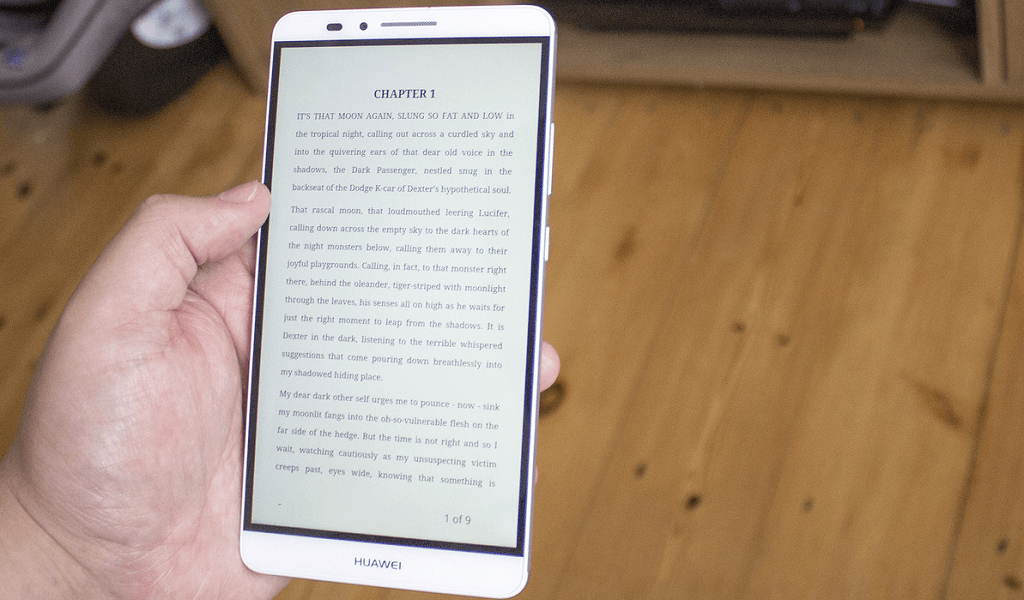
Are you thinking of ways to repurpose your Android tablet or phone into an ebook reader? Here’s your guide to it and some of the best ebook apps to get free ebooks online right now.
Since the dawn of time, mankind has thrived to communicate with one another, which put forward the concept of spoken and written language. As we have ushered into the modern age of communication where language is rather spoken and heard than written, there are plenty of bibliophiles around to keep writers in business around the world.
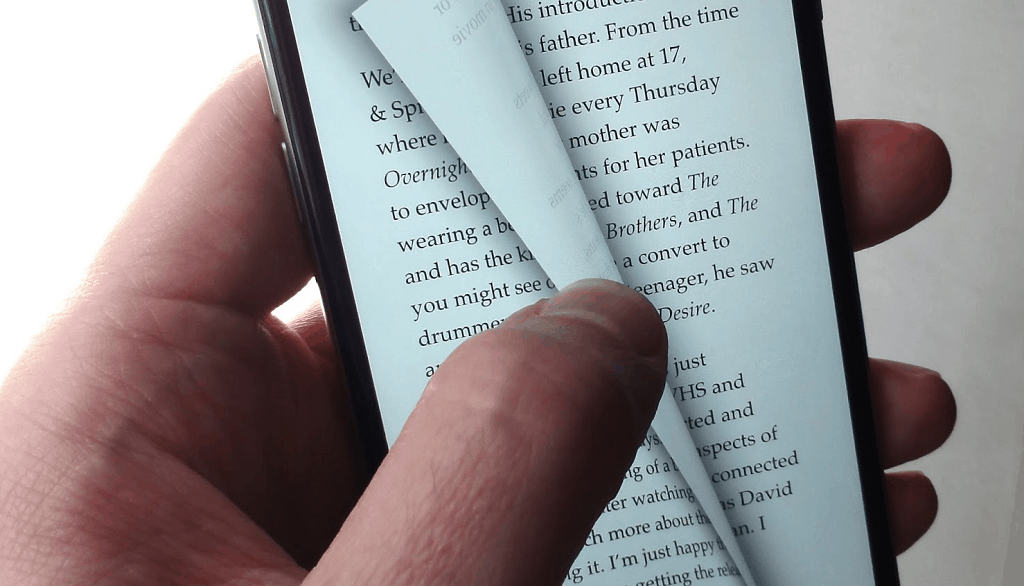
With the advent of computers and smartphones, the traditional ink and paper are slowly being evolved into ebooks. Being an economical and massively environment-friendly, an ebook reader is the ideal companion for the modern book lover. Services like Amazon Kindle books and ebook readers enable you to enjoy a distraction-free reading experience and carrying an entire library around.
But why spend hundreds of dollars on a device that can only be used for one purpose, when you can turn your Android tablet or phone into a proper ebook reader?
Why choose Android over any ebook reader?
If you have researched enough about Amazon Kindle books online, you’ll find out how desperately Kindle Fire users try to get the Google Play Store on their devices. This is because most ebook readers are designed to be only just that, whereas as Android device can essentially become anything and everything you want it to be.
Admittedly, the e-ink technology used by certain Amazon Kindle readers enables its battery life to last for days at a stretch. But the cheaper models do not come with backlight illumination, which makes them unreadable in the dark so an Android device that you probably have lying around the house isn’t an unfair trade.
How to turn Android into ebook reader
It’s no secret that the Google Play Store is packed with resources to get free ebooks online and some of the best ebook reader apps. But before we jump into the free apps and sources for ebooks, let’s discuss some of the ways that you can turn your good old Android phone or tablet into an ideal ebook reader device.
Tweak the display for comfortable reading
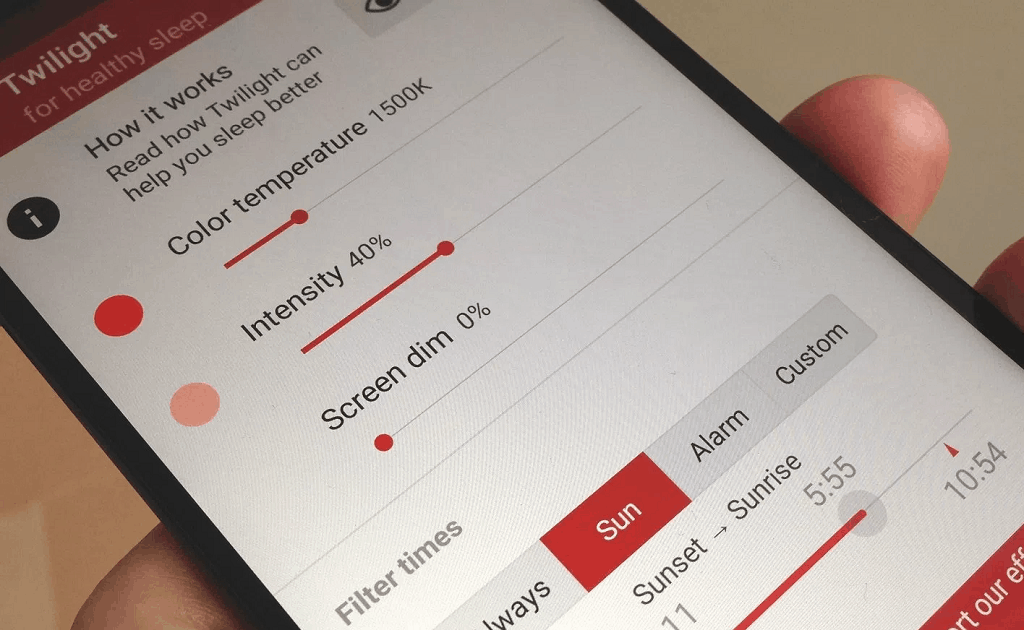
One significant issue that many readers complain about is the fact that how the screen of smartphones and tablets are too harsh for night reading. It has been scientifically proven that blue light exposure to the eyes in the later hours of the evening does not only harm the eyes but also affects the brain chemistry. While lowering the brightness helps reduce the strain, you need the Twilight app to help you configure your Android display for night reading.
By reducing the flux of the blue light from being emitted by your device screen, Twilight helps the photoreceptors adjust the soothing tone of red and yellow. While you can adjust the frequency of the blue light filter manually, the app is built with the ability to sync to your location and manage the light filter according to the time of the day. This app will not only help you read to your heart’s desire at night but ensure that you sleep like a baby after that as well.
Get extra hours of reading time with power saving
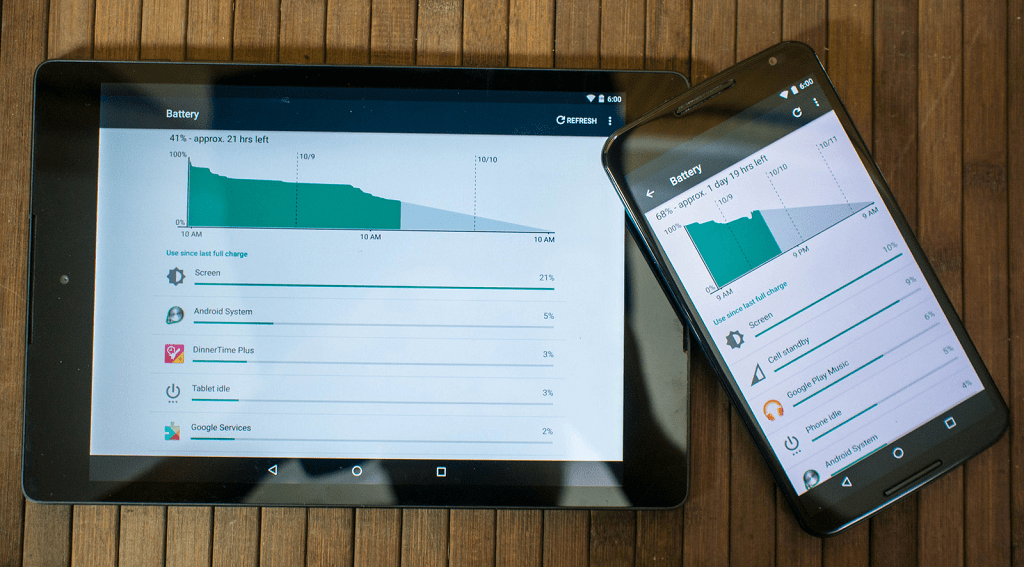
The only reason you’d find the avid readers flocking to an e-ink ebook reader is their battery life, which Android cannot compete with. However, you might be able to get a whole lot more screen-on time from your Android device or tablet if you plan to use it exclusively for reading. By bidding farewell to the power-hungry and data-hungry apps and services, you can directly reduce the workload on the processor.
Disabling the connectivity of Mobile Data, Bluetooth, and Wi-Fi (Airplane Mode) when not in use can help you curb additional battery usage and get you hours of screen-on time. Regardless of whether you plan to turn a spare Android into an ebook reader or use your daily driver for reading, there are plenty of ways to get more battery life out of your Android.
Reading on Google Chrome made simpler
If most of the reading you do online does not include an ebook, then Android is probably the only ebook reader that you can make use of. Whether you’re going through your favorite news media website or browsing through some online stories, their readability can be godawful with all the pestering ads and unnecessary graphics.
For every news reader who uses the Google Chrome browser for their daily reading, you don’t have to switch your browser for better readability. Thanks to a golden nugget hidden within the secretive Chrome Flags menu, you can enable the reader mode. Once enabled, reader mode will get rid of the useless junk from the web page and give you nothing but context-based viewing.
Best Android ebook apps to get free ebooks online
Since ebook readers are built for a singular purpose, they are packed with features that an everyday reader would need. From a formulated library of content and features for annotations to bookmarking and easy readability, all of these and more make up a good ebook reader. Moreover, the ability to get free ebooks online is always a welcome addition to any ebook app.
Fortunately, you need nothing more than a decent ebook reader app from the Google Play Store to bring all these features to Android. From college books and biographies to comic books and short stories, these ebook apps for Android will enable you to read anything and everything to your heart’s desires.
Best ebook reader apps
Aldiko Book Reader
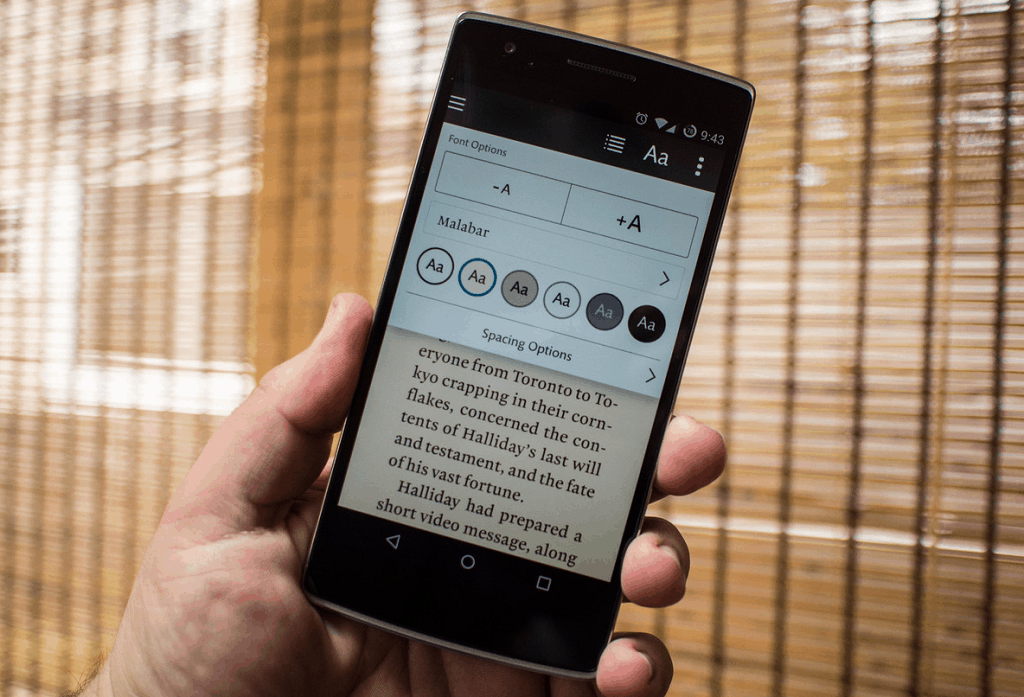
For those of you who are looking for a virtual library that can manage their downloaded EPUB(iBooks) and PDF ebooks the best way possible, Aldiko Book Reader is a great choice to start with. More than just an ebook organizer, Aldiko Book Reader allows you to personalize your reading experience with a slew of amazing features and a user-friendly interface for navigation through the texts.
From changing the font size and type of the text to controlling the brightness of the screen for comfortable viewing, Aldiko is the whole package. While the free version is more than enough to keep you happy, Aldiko Book Reader Premium comes with features like book cover editing, annotations import/export, intuitive home widget and a completely add-free experience.
Moon+ Reader
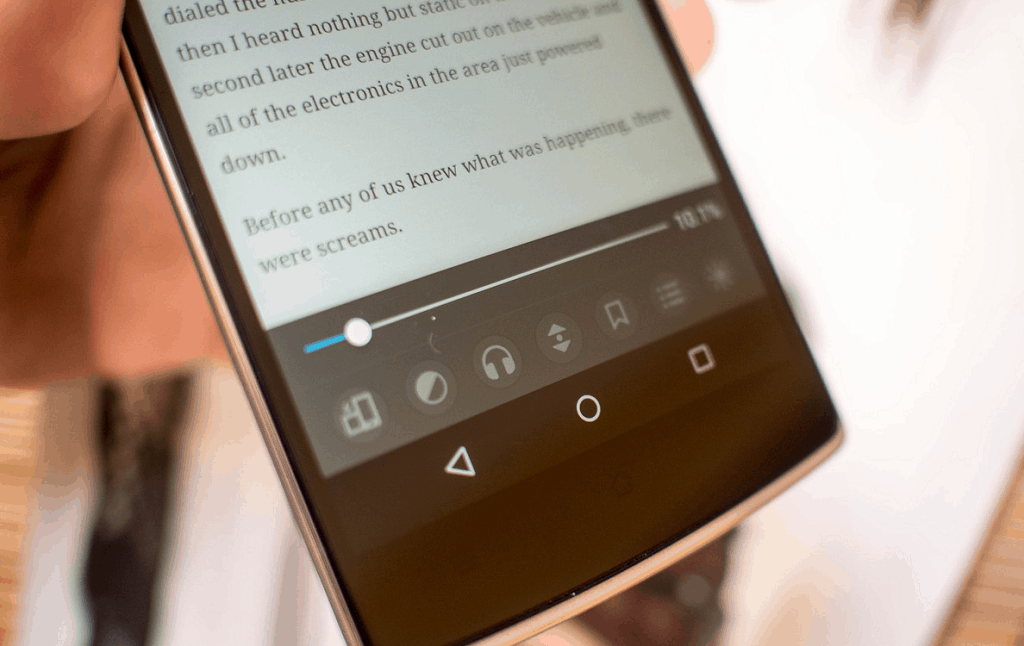
A relatively new entry into the scene of ebook reader for Android, Moon+ Reader has quickly become a user favorite. Built with a simplified navigation menu and the ability to support more than a dozen different textual file formats, Moon+ Reader has more than what meets the eye. With a suite of text customization options and built-in day and night viewing mode, this ebook reader helps you set a personalized tone to your digital library.
With multiple auto-scroll modes to make navigation simpler than ever, more than a dozen gestures to control your reading tools and beautiful effects and animations that are aesthetically pleasing, there is no nothing that the Moon+ Reader app cannot do to give you a tailored reading experience on Android.
eReader Prestigio: Book Reader
Statistically speaking, an avid bibliophile is able to write and speak more than just one language, which makes a multilingual ebook reader an absolute necessity for many. eReader Prestigio fills in this role with its material design that compliments your Android device perfectly, along with a far-reaching support for several ebook file formats.
The app comes with multiple shelf themes to stock up your virtual library with, a built-in dictionary to help you learn while you read, and text-to-speech that makes any ebook an audiobook right away. Moreover, eReader Prestigio comes with multi-platform syncing support which makes it infinitely easier to import and export content from the internal storage as well as any of the popular cloud storage services.
Best ebook apps to get free ebooks online
Amazon Kindle
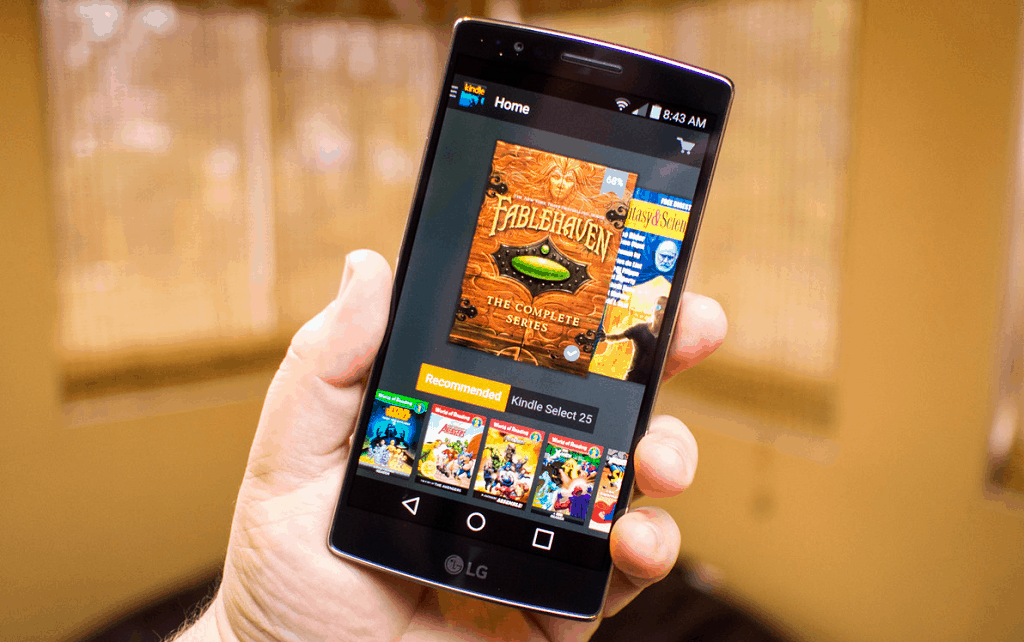
Jeff Bezos started off selling books on Amazon and the e-commerce website has come a long way, all while keeping its roots intact. There’s YouTube for videos, Spotify for music, and Amazon Kindle for ebooks, with millions of ebooks available for you at your fingertips. While you get a massive number of famous publishers free with the paid Amazon Prime membership, there is no shortage of free ebooks either.
Apart from the super store for both paid and free ebooks of all genres, Amazon Kindle app for Android is a comprehensive ebook reader in itself. From trying out a sample of the ebook before you pay for it, or syncing your entire ebook library across different platforms, Amazon Kindle is, and will continue to be the best premium ebook app with thousands of free offerings as well.
Google Play Books
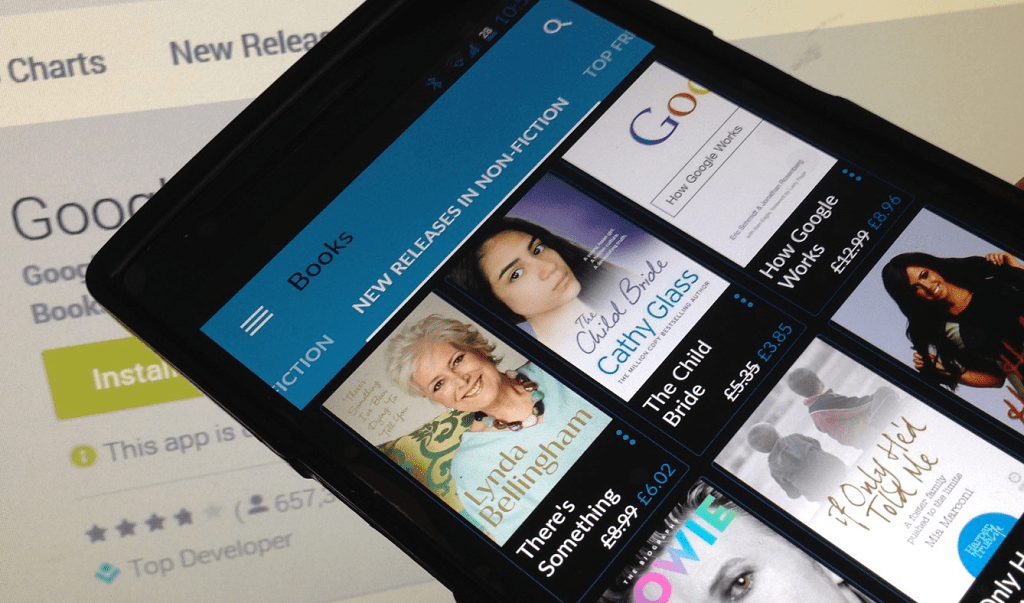
Since most Android devices come with this app preinstalled, most book lovers are going to naturally find Google Play Books to be their favorite app. A strong competitor to Amazon Kindle, Google Play Books has the gameplan of making ebooks easily accessible on Android devices while offering seamless connectivity across all platforms. With a catalog that comprises of sci-fi stories, biographies, comics, mystery novels, and so much more, there’s a serious social element to it as well.
A library with millions of ebooks to choose from, there is a plentiful resource of free ebooks online on Google Play Books. With the Read Discover feature that offers news and stories, personalized recommendations, and a comprehensive ebook reader with Night Mode, personalization, annotations, and more, you’re sure to get more than your money’s worth from this gem by Google.
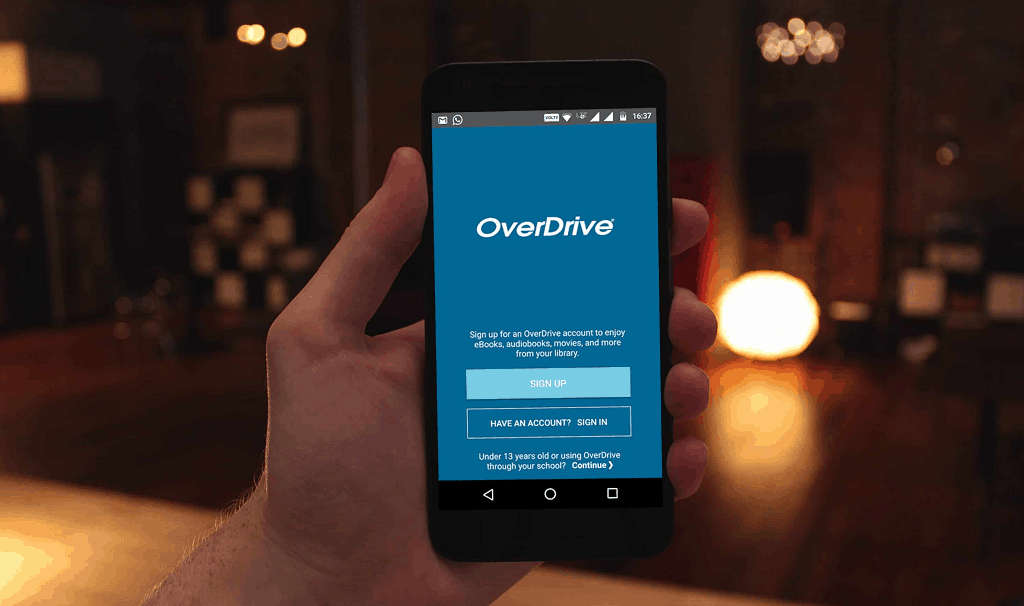
OverDrive
Remember the good old days when you could lend your favorite copy of Stephen King books and return them, just to set off on a new adventure. Overdrive brings back the concept of lending books rather than selling them, based on a virtual platform with the collection of books from more than 30,000 libraries all across the world (millions and millions of books!).
Unlike your city library, OverDrive is open 24/7 right on your Android device with a built-in ebook reader for syncing libraries, adding bookmarks, and creating wish lists as well. With a massive collection of audiobooks as well, you can even contact the listed libraries and suggest some of the authors you’d like them to stock up on.
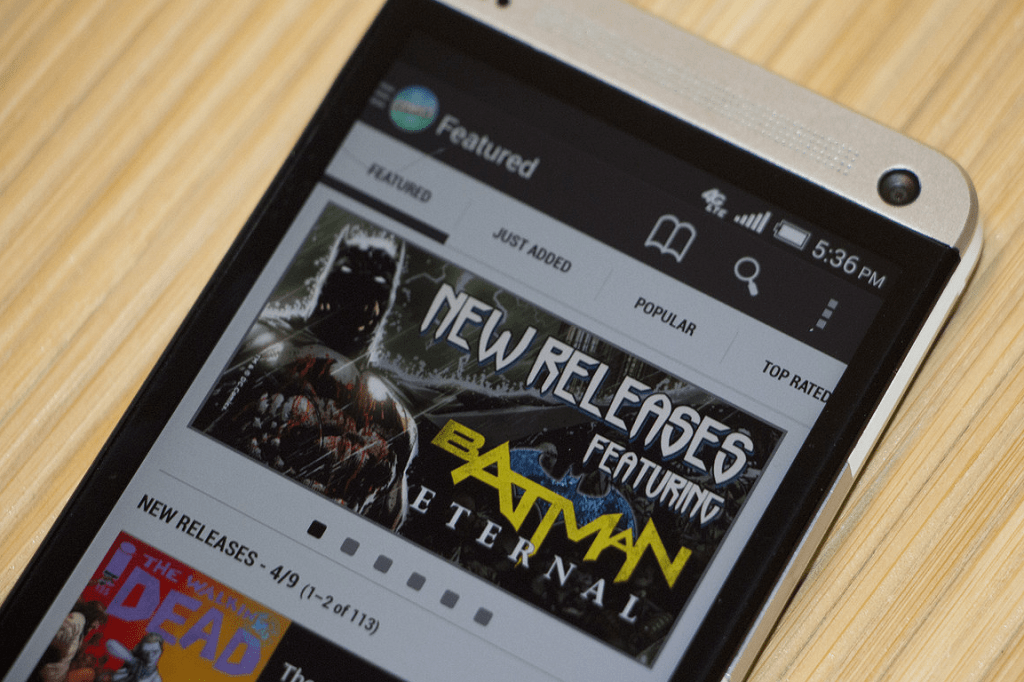
Comics
Not all of us are serious readers who like their written artwork to be intellectual and full of wordplay. If you are a die-hard comic book fan who needs a handheld ebook app that opens the world of millions of sci-fi comics packed with your favorite superheroes, Comics is the one to go for. With the ability to sync your Google and Amazon account, you can even add comic books to this app that you have already paid for.
Filled with hundreds and thousands of comics from publishers like DC Comics, Marvel, Archie Comics, Zenescope Entertainment and tons more, this app is a virtual paradise for comic nerds. Admittedly most of the premium series at available only at a subscription or purchase, they are fairly cheaper being electronic copies, which is perfect for collectors and hardcore enthusiasts.
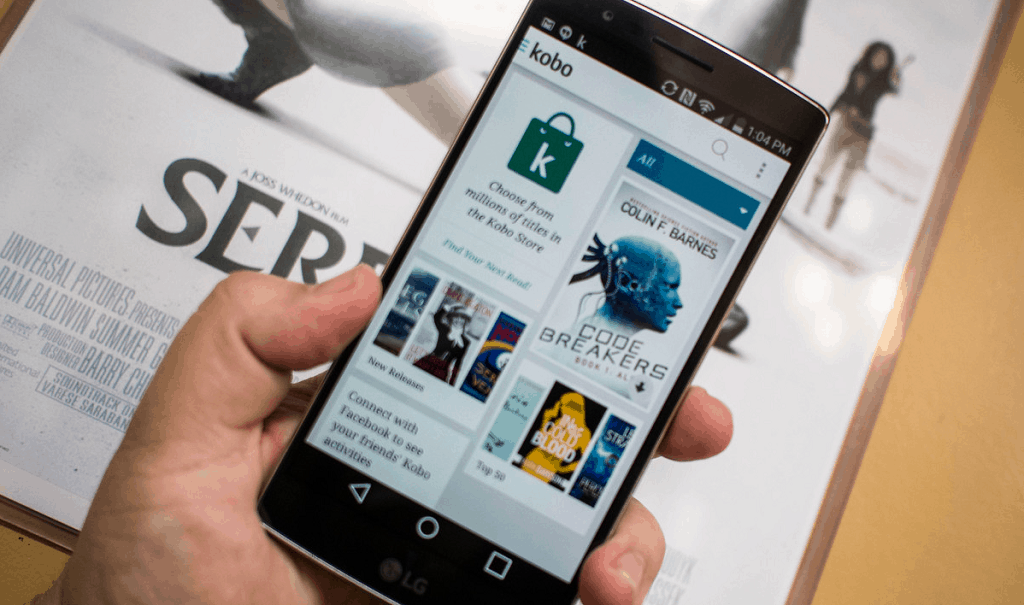
Kobo Books – Reading App
Another excellent choice to get free ebooks online, Kobo books possesses a massive library of written literature from all genres and authors. You can get most of the popular names on Kobo at a reasonable price, and as you make your private library, the app learns your likes and taste and recommends you the same.
The first time you sign up with Kobo Books, you get a $5 credit coupon to use on the store to purchase one or multiple books of your liking. With interactive features that show you how much time you have spent reading and all the pages you have read though, it’s the little things that make reading even more rewarding with Kobo Books.
Concluding it
There’s no doubt about the fact that there’s a special charm that comes with a physical book printed on actual paper. While a book may never need recharging and won’t break when it has a tumble, ebook readers are the future and you can only back onto the past so much.
By the time that future becomes a necessity, you can implement the technology you already have at hand to pleasure your reading senses. From creating your ebook library from scratch and collecting the best comic books available, to tweaking the device to your reading comfort and getting free ebooks online by dozens, there is an entire universe of possibilities that you can look into with an Android phone or tablet as an ebook reader.
Ουάσινγκτον
Το
αρχαίο και άκρως εύθραυστο εβραϊκό χειρόγραφο του Εν-Γκεντί, που
χρονολογείται από τον 3ο ή 4ο αιώνα μ.Χ. και, όπως αποδείχθηκε, περιέχει
το παλαιότερο αντίγραφο του Βιβλίου του Λευιτικού της Παλαιάς Διαθήκης,
«ανοίχτηκε» για πρώτη φορά χάρη στην ψηφιακή τεχνολογία, χωρίς να
ξετυλιχτεί σε φυσική μορφή.
Το επίτευγμα της ψηφιακής ανάγνωσης της σχεδόν καμένης περγαμηνής από
δέρμα ζώου χαρακτηρίσθηκε «σημαντική ανακάλυψη στο πεδίο της βιβλικής
αρχαιολογίας». Οι ερευνητές από τις ΗΠΑ και το Ισραήλ, με επικεφαλής τον
καθηγητή Μπρεντ Σιλς του Τμήματος Επιστήμης Υπολογιστών του
Πανεπιστημίου του Κεντάκι, έκαναν τη σχετική δημοσίευση στην επιθεώρηση
«Science Advances».
Αν και το εν λόγω χειρόγραφο δεν είναι το αρχαιότερο εβραϊκό -αυτά
είναι τα χειρόγραφα της Νεκρής Θάλασσας από τον 3ο αιώνα π.Χ. έως τον 2ο
μ.Χ., που είχαν βρεθεί στις σπηλιές του Κουμράν κατά τις δεκαετίες του
΄40 και του ΄50- θεωρείται πολύ σημαντικό. Είχε ανακαλυφθεί από
αρχαιολόγους το 1970 σε μια συναγωγή στην όαση Εν-Γκεντί, στη δυτική
όχθη της Νεκράς Θάλασσας, όπου κάποτε ζούσε μια αρχαία εβραϊκή
κοινότητα.
Ό,τι έχει διασωθεί από αυτό μετά από μια καταστροφική πυρκαγιά του
6ου αιώνα, διατηρείται από την Υπηρεσία Αρχαιοτήτων του Ισραήλ στην
Ιερουσαλήμ, αλλά δεν είχε διαβαστεί έως τώρα, επειδή ήταν αδύνατο να το
αγγίξει κανείς, χωρίς αυτό να διαλυθεί σε στάχτες.
Η μέθοδος
Χάρη στην τεχνική της μικρο-υπολογιστικής τομογραφίας ακτίνων-Χ, οι
ερευνητές κατάφεραν να ανιχνεύσουν τα ίχνη μετάλλου στο μελάνι της
περγαμηνής και έτσι να δημιουργήσουν -με τη βοήθεια ειδικών αλγορίθμων-
εικόνες τουλάχιστον 100 ξεχωριστών σελίδων και μάλιστα υψηλής ποιότητας
από το κείμενο, το οποίο πλέον είναι αναγνώσιμο στο μεγαλύτερο μέρος
του. Φαίνεται καθαρά ότι πρόκειται για τα δύο πρώτα κεφάλαια του
Λευιτικού.
Προτού ξετυλιχτεί ψηφιακά, οι ειδικοί νόμιζαν ότι επρόκειτο για
χειρόγραφο της Τορά, αλλά τελικά αποδείχτηκε ότι το κείμενο αφορούσε το
Λευιτικό, το τρίτο βιβλίο της εβραϊκής Βίβλου. Αυτό το καθιστά το
αρχαιότερο κείμενο της Πεντάτευχου που έχει βρεθεί μέχρι σήμερα.
Ορισμένοι θεωρούν μάλιστα πιθανό ότι είναι παλαιότερο και από τα
χειρόγραφα της Νεκράς Θάλασσας, χρονολογούμενο ίσως από τον πρώτο αιώνα
μ.Χ.
Όπως και τα άλλα αρχαία εβραϊκά χειρόγραφα, περιέχει μόνο σύμφωνα και
όχι φωνήεντα, τα οποία χρησιμοποιήθηκαν πολύ αργότερα στη γραφή. Η
ομοιότητά του με το κατοπινό επίσημο Μασοριτικό κείμενο της εβραϊκής
Βίβλου είναι πολύ μεγάλη (σχεδόν 100%), πράγμα που ενθουσίασε τους
Εβραίους μελετητές.
Επόμενοι στόχοι
Οι ερευνητές αισιοδοξούν ότι θα χρησιμοποιήσουν την ίδια μη
επεμβατική τεχνολογία για να διαβάσουν και άλλα εύθραυστα αρχαία
χειρόγραφα, που έως τώρα παραμένουν αδιάβαστα. Μεταξύ αυτών, είναι
ορισμένα χειρόγραφα της Νεκράς Θάλασσας, καθώς και ελληνο-ρωμαϊκά, ιδίως
αυτά του Ερκολάνουμ (Ηρακλείου) κοντά στην Πομπηία, που διασώθηκαν
μισοκαμένα μετά την έκρηξη του Βεζούβιου το 79 μ.Χ.
Οι επιστήμονες διαβεβαίωσαν ότι του χρόνου η νέα τεχνολογία, που
έχουν ονομάσει «ψηφιακό ξετύλιγμα», θα είναι διαθέσιμη σε κάθε
ενδιαφερόμενο με τη μορφή ελεύθερου λογισμικού (το σχετικό λογισμικό
λέγεται Volume Cartography).
Ο νέος ιστότοπος της NASA επεκτείνει την πρόσβαση του κοινού στα επιστημονικά δεδομένα προσφέροντας πρόσβαση σε έρευνες, δημοσιεύσεις, άρθρα εμπλουτίζοντας το ήδη πλούσιο portfolio της με νέες εκδόσεις και οπτικοακουστικό υλικό. «Στη NASA γιορτάζουμε την ευκαιρία να επεκτείνουμε την πρόσβαση στο πλούσιο portfolio μας με επιστημονικές και τεχνικές εκδόσεις», δήλωσε ο Dava Newman, αναπληρωτής διευθυντής της NASA. «Μέσω της ανοιχτής πρόσβασης και της καινοτομίας προσκαλούμε τη διεθνή κοινότητα να συμμετέχουν μαζί μας στην εξερεύνηση της Γης, της ατμόσφαιρας και του Διαστήματος». Στον νέο ιστότοπο ο επισκέπτης μπορεί να βρει μεταξύ άλλων την ενότητα PubSpace https://www.nasa.gov/open/researchaccess/pubspace, ένα αρχείο με τα πρωτότυπα άρθρα των επιστημονικών περιοδικών που παράγονται από την έρευνα που χρηματοδοτείται από τη NASA και διατίθενται δωρεάν online, για ανάγνωση, αποθήκευση ή ανάλυση εντός ενός έτους από τη δημοσίευση. Στην ενότητα Data Management Plans (Σχέδια διαχείρισης δεδομένων) https://www.nasa.gov/open/researchaccess/data-mgmt παρέχονται οδηγίες για τους ερευνητές που λαμβάνουν επιχορηγήσεις από την NASA, ενώ στο νέο site δίδεται επίσης πρόσβαση σε έγγραφα πολιτικής, εκπαιδευτικά video και δίδεται απάντηση στις πιο συχνές ερωτήσεις του κοινού.
Ανοικτή πρόσβαση στα αποτελέσματα των ερευνών που χρηματοδοτεί παρέχει πλέον η NASA, χάρη στη δημιουργία του νέου ιστότοπου http://www.nasa.gov/open/researchaccess. Η δημόσια πρόσβαση στην έρευνα ήταν ανέκαθεν υψηλή προτεραιότητα της NASA, τώρα όμως εστιάζει στο να μπορεί το κοινό να έχει πιο εύκολη και άμεση πρόσβαση στα επιστημονικά δεδομένα, προκειμένου να επιταχυνθεί η διάχυση των αποτελεσμάτων της βασικής έρευνας προς όφελος της επιστημονικής γνώσης και να συμβάλει έτσι στη μελλοντική κοινωνική ευημερία.
Το νέο αυτό portal της NASA έρχεται ως απάντηση στο αίτημα που τέθηκε το 2013 από το Γραφείο Πολιτικής για την Επιστήμη και Τεχνολογία του Λευκού Οίκου προς τους ερευνητικούς φορείς που χρηματοδοτούν την έρευνα, ζητώντας να αναπτύξουν σχέδια για να αυξηθεί η πρόσβαση στα αποτελέσματα των ερευνών που χρηματοδοτούνται από το κράτος.
Ο σχεδιασμός της NASA (NASA Plan for Increasing Access to the Results of Scientific Research) προς αυτή την κατεύθυνση υλοποιήθηκε με τη συνεργασία της επιστημονικής και ακαδημαϊκής κοινότητας και όπως χαρακτηριστικά δήλωσε η Ellan Stofan επικεφαλής επιστήμονας της NASA «Η διευκόλυνση της πρόσβασης του κοινού στα ερευνητικά δεδομένα μας θα μεγιστοποιήσει τον αντίκτυπο των ερευνών μας».
Οι φωτογραφίες θεωρούνται πλέον κοινό κτήμα και μπορούν να χρησιμοποιηθούν ελεύθερα από όλους.
Οι αναξιοποίητες εικόνες 600 εκατομμυρίων σελίδων από παλαιά βιβλία που έχει ψηφιοποιήσει ο μη κερδοσκοπικός οργανισμός Internet Archive ανεβαίνουν σταδιακά στο Flickr, με την συμβολή του ακαδημαϊκού Kalev Leetaru. Υπολογίζεται ότι το σάιτ φιλοξενίας φωτογραφιών της Yahoo θα πλημμυρίσει από 12 εκατομμύρια ιστορικές εικόνες -σκίτσα, ζωγραφιές, σχέδια- από το 1500 έως το 1922 που έχουν περάσει στο public domain και θεωρούνται κοινό κτήμα, χωρίς περιορισμούς στην χρήση τους.
Οι εικόνες προέρχονται από βιβλία δημόσιων βιβλιοθηκών τα οποία επί χρόνια ψηφιοποιούνται από το Internet Archive, εντούτοις καταλήγουν σε μορφή αρχείου PDF ή απλού κειμένου χωρίς δυνατότητα αναζήτησης των φωτογραφιών.
Το λογισμικό του Kalev Leetaru σε αντίθεση με το λογισμικό οπτικής αναγνώρισης χαρακτήρων δεν παρακάμπτει τις εικόνες. Αξιοποιεί μάλιστα την αδυναμία του OCR, υποθέτοντας πως ότι παρακάμπτει είναι εικόνα και το αποθηκεύει σε μορφή αρχείου εικόνας Jpeg. Επιπλέον, επιχειρεί να συνοδεύσει τα αρχεία εικόνας με επεξηγηματικό κείμενο υπό μορφή λεζάντας, επιλέγοντας το κείμενο που διάβασε το OCR πριν και μετά την φωτογραφία της σκαναρισμένης σελίδας.
Φιλοδοξία του καθηγητή Leetaru είναι να αξιοποιηθούν οι εικόνες αυτές -2,6 εκατομμύρια από τις οποίες έχουν ήδη γίνει upload στο Flick- από τους συντάκτες της Wikipedia για να εμπλουτίσουν το περιεχόμενό της, ιδιαίτερα όταν το λήμμα αφορά σε ιστορικά γεγονότα. Eμφανίζεται δε πρόθυμος να διαθέσει τον κώδικά του σε βιβλιοθήκες ανά τον κόσμο για να εξάγουν και τις εικόνες από τα βιβλία που επιχειρούν να μετατρέψουν σε ψηφιακή μορφή, μεταφέρει το BBC.
Πάντως, οι χρήστες του Flickr παραπονιούνται ότι από τον Ιούλιο οπότε το Internet Archive έγινε μέλος της υπηρεσίας, οι εικόνες του πλημμύρισαν το σάιτ και εμφανίζονται πολύ συχνά στα αποτελέσματα χωρίς δυνατότητα εξαίρεσης χρήστη.
Είτε πρόκειται για πανάκριβη έγχρωμη είτε για φθηνή ασπρόμαυρη, η ταμπλέτα είναι ικανή να ανοίξει τον κόσμο της γνώσης. Δείτε γιατί η ακριβή δεν είναι πάντοτε καλύτερη και γιατί η φθηνή δεν γίνεται... φθηνότερη
Κάποτε, οι μανάδες φώναζαν: «Μη διαβάζεις, παιδί μου, στο κρεβάτι. Θα χαλάσεις τα μάτια σου!». Επειτα, τα παιδιά σταμάτησαν να διαβάζουν και «χαλούσαν τα μάτια τους» στο YouTube. Τώρα, η μόδα της ταμπλέτας υπόσχεται να κάνει την ανάγνωση των βιβλίων και των εφημερίδων τόσο εύκολη όσο έγινε η ακρόαση μουσικών κομματιών με τα διάφορα «mp3όφωνα». Θα μπορούσαμε να αφήσουμε το καλοκαίρι να αποφασίσει για το αν η νέα μόδα έπιασε και γέμισαν οι παραλίες και τ’ αγνάντια με νέους και γέρους βυθισμένους στο ψηφιακό τους διάβασμα. Ομως, η επιλογή της συσκευής θέτει ερωτήματα ταυτόχρονα τεχνολογικά, οικονομικά και κοινωνιολογικά, διόλου ευδιάκριτα στην «πρώτη ανάγνωση». Οπότε... είπαμε να τα συζητήσουμε, εξετάζοντας το πώς γεννήθηκαν και πώς κατατάσσονται οι ψηφιακές πινακίδες, όπως και το τι κρύβεται πίσω τους.
Λίγα χρόνια π.Κ. (προ Κρίσης) μαδούσαμε ανυπόμονοι τη μαργαρίτα του χρόνου, προσδοκώντας την έλευση του «μαθητικού φορητού» στα θρανία των παιδιών και των βιβλίων «ψηφιακής μελάνης» στα χέρια μας. Τεχνικά, το θαύμα επετεύχθη: Ψηφιακές ταμπλέτες μεγέθους μιας ή δύο παλαμών προσφέρονται πλέον από κατασκευαστές υπολογιστών και τηλεφώνων ή και εκδότες, σε τιμές που ξεκινούν κάτω από τα 100 ευρώ. Λειτουργικά όμως γιατί νιώθουμε ότι... η μαργαρίτα «μας δούλεψε»;
Ολα τα βιβλία σε ένα!
Το όνειρο σίγουρα το είχαν δει πολλοί και υπέφωσκε χρόνια. Εκδηλώθηκε μάλιστα, υπό τη μορφή μανιφέστου, από το 1930: Ο πολυγραφότατος ιμπρεσάριος του Σικάγου Mπομπ Μπράουν διακήρυξε υπό τον τίτλο The Readies ότι «ο γραπτός λόγος δεν έχει συμβαδίσει με τις εξελίξεις - οι ταινίες τον έχουν παραγκωνίσει. Εχουμε ομιλούσες ταινίες, αλλά όχι ακόμη αναγνώσιμες. Πρέπει να τελειώνουμε πια με την τυραννία του χαρτιού και του μελανιού! Το γράψιμο έχει εξαρχής φυλακιστεί μέσα στα βιβλία. Είναι καιρός να το απελευθερώσουμε και να ξεκινήσουμε μια αιματηρή επανάσταση της λέξης».
O Μπράουν προσπάθησε αλλά δεν κατάφερε τελικά να φτιάξει μια συσκευή «μηχανικής ανάγνωσης». Πέθανε το 1959, έχοντας ζήσει σε 100 πόλεις του κόσμου και έχοντας κατηγορηθεί για «κομμουνιστική προπαγάνδα». Τέσσερις δεκαετίες μετά - το 1997 - δύο φοιτητές του ΜΙΤ Media Lab ίδρυαν την εταιρεία E Ink Corp. προκειμένου να κάνουν προϊόν το «ηλεκτρονικό χαρτί» που είχαν εφεύρει. Η πρώτη συσκευή που έκανε ευρέως γνωστή και προσιτή αυτή την εφεύρεση στα χέρια των αναγνωστών ήταν το Kindle DX, που κυκλοφόρησε ο διαδικτυακός βιβλιοπώλης Amazon, το 2010. Ολοι υπέθεσαν τότε ότι μιλάμε για τη «νέα εποχή της τυπογραφίας» και ότι σε λίγο θα κρατούσαμε όλοι μας ένα και μοναδικό βιβλίο στα χέρια, όπου θα εμφανιζόταν κατά βούληση το όποιο από τα εκατομμύρια βιβλίων, περιοδικών και εφημερίδων που εκδίδονται στον πλανήτη.
Αντίστοιχο «επαναστατικό ρεύμα» είχε εκδηλωθεί για την εκπαίδευση: Διερευνώντας τα αίτια και τις επιπτώσεις του «ψηφιακού χάσματος», ο ιδρυτής και διευθυντής του MIT Media Lab Νίκολας Nεγκρεπόντε συμπέρανε ότι αρκούσε να φθάσει στα φτωχόπαιδα όλου του κόσμου ένα «ψηφιακό αναγνωστικό» για να ξεκινήσει η πραγματική επανάσταση της γνώσης, σε όλα τα μήκη και τα πλάτη της Γης. Εστησε λοιπόν την πρωτοβουλία OLPC (Ενας Φορητός για Κάθε Παιδί) και άρχισε να συναρμολογεί το όνειρο.
Και ο Τζομπς έπλασε το tablet
Ενόσω όμως οι προαναφερθέντες των δύο ρευμάτων πάσχιζαν να χωρέσουν σε μια ανεκτή τιμή πώλησης όλα τα τεχνικά χαρακτηριστικά που θα απαιτούσε ένας λειτουργικά σωστός ψηφιακός αναγνώστης, κάποιος άλλος σκέφτηκε ανάποδα: Ο γνωστός «αιρετικός της πληροφορικής», ο Στιβ Τζομπς της Apple, σχεδίασε την «τέλεια ψηφιακή ταμπλέτα γραφής και ανάγνωσης» και την έβγαλε το 2010 στις βιτρίνες, με διαγώνιο 9,7 ιντσών και τιμή που... μόνο στους φτωχούς δεν απευθυνόταν. Ηταν το πασίγνωστο iPad.
Αυτό που συνέβη έκτοτε ήταν κάτι που δεν είχε φανταστεί ποτέ ούτε η βιομηχανία υπολογιστών ούτε εκείνη των τηλεφώνων: Νέοι, γέροι και παιδιά θέλουν να αποκτήσουν μια ψηφιακή ταμπλέτα, μέσω της οποίας «θα βλέπουν, θα ακούν και θα διαβάζουν τον κόσμο». Οι πωλήσεις παραδοσιακών υπολογιστών έπεσαν στο ναδίρ και οι κατασκευάστριες κινητών τηλεφώνων που δεν ανταποκρίθηκαν στο νέο αίτημα χρεοκόπησαν. Τώρα, όλοι οι μεγάλοι κατασκευαστές προσφέρουν υπολογιστές και τηλέφωνα με μορφή ταμπλέτας. Και ο συσσωρευμένος ανταγωνισμός στο ίδιο πεδίο έχει σχεδόν φέρει τη λύση στον γόρδιο δεσμό της τιμής: Τα νυν μοντέλα των 100 ευρώ προσφέρουν τις τεχνολογικές δυνατότητες εκείνων που κόστιζαν 800 ευρώ πριν από τρία χρόνια!
Οι κατηγορίες της ανάγνωσης
Αν εξετάσει κανείς όλες τις ταμπλέτες που προσφέρονται στη διεθνή αγορά, θα διαπιστώσει την εξής κατηγοριοποίηση, «από τα ψηλά στα χαμηλά»:
1. Κατηγορία «Εγχρωμο tablet των 8 ιντσών και άνω + WiFi, με ή χωρίς τηλέφωνο».
2. Κατηγορία «Εγχρωμο tablet κάτω των 8 ιντσών + WiFi, με ή χωρίς τηλέφωνο».
3. Κατηγορία «Εγχρωμο ή ασπρόμαυρο e-reader + WiFi».
4. Κατηγορία «Ασπρόμαυρο e-reader».
Από πλευράς τιμής οι κατηγορίες αυτές αντιστοιχούν στο φάσμα 500 - 1.000 ευρώ η πρώτη, 300 - 600 ευρώ η δεύτερη, 100 - 300 ευρώ η τρίτη και 70 - 100 ευρώ η τέταρτη, πάντα κατά προσέγγιση. Βεβαίως οι ιδιοκτήτες των «έξυπνων κινητών» (smartphones) εύλογα θα αναρωτηθούν σε ποια κατηγορία ανήκουν τα δικά τους ακριβά μηχανάκια, των 300 - 700 ευρώ. Η απάντηση είναι ότι ναι μεν διαθέτουν το λογισμικό για αγορά, διακίνηση και ανάγνωση βιβλίων, αλλά η μικρή οθόνη τους (όταν είναι κάτω των 5 ιντσών) τα καθιστά ακατάλληλα για μακράς διαρκείας ανάγνωση.
Οι ακριβές ταμπλέτες των δύο πρώτων κατηγοριών διαφημίζονται ως «πασπαρτού» για όλες τις δουλειές. Σε πρώτη ματιά, θα έλεγε κανείς ότι τεχνολογικά το δικαιούνται. Ωστόσο, αν το κύριο που ζητείτε από αυτές είναι η άνετη ανάγνωση υπό οποιεσδήποτε συνθήκες φωτισμού, τότε... ψεύδονται: Η μόνη τεχνολογία που ανθίσταται στο ντους των ηλιακών ακτίνων είναι η E-ink, που δεν τη διαθέτουν παρά μόνον οι εξειδικευμένοι e-readers. Αυτός είναι και ο λόγος που η κατηγορία των ασπρόμαυρων αναγνωστών συνεχίζει να υπάρχει, μολονότι η νεολαία σαφώς ονειρεύεται τα έγχρωμα tablets.
Οι βιβλιοπαγίδες των παρόχων
Είπαμε πως περιμέναμε «να κρατάμε όλοι μας ένα και μοναδικό βιβλίο στα χέρια». Γιατί δεν έχει συμβεί αυτό; Το εύκολο για απάντηση είναι να σκεφτείτε την κρίση. Ωστόσο η πραγματική απάντηση έχει να κάνει με το ότι η συσκευή είναι απλώς το δόλωμα. Το ψαχνό είναι η διηνεκής χρέωση των όσων βλέπεις, ακούς και διαβάζεις με αυτήν.
Στο σύγχρονο λεκτικό της αγοράς ο όρος που κρύβει τούτο το σκεπτικό είναι το «οικοσύστημα»: Ο κάθε κατασκευαστής ταμπλέτας δημιουργεί ένα διαδικτυακό κατάστημα, απ' όπου μπορείς να αγοράζεις βιβλία, ταινίες και δίσκους, για να τα γεύεσαι μέσα από τη συσκευή. Οσο περισσότερο όμως έχει «επιδοτηθεί» η τιμή της συσκευής, τόσο πιο ασφυκτικό γίνεται το δέσιμο του χρήστη της με το «κατάστημα» του κατασκευαστή. Η πολιτική αυτή έχει μορφοποιηθεί ιδιαίτερα απροκάλυπτα από την Amazon, που διαθέτει και τις συσκευές με τον καλύτερο συνδυασμό χαρακτηριστικών και προσιτής τιμής: Αν αντιληφθεί ότι διαβάζεις στη συσκευή της βιβλίο που δεν το αγόρασες νόμιμα από την ίδια, σου... σβήνει όλα τα βιβλία που έχεις αγοράσει και αποθηκεύσει στη συσκευή!
Η επανάσταση του Android
Το «μαγείρεμα» αυτό των κατασκευαστών και εκδοτών άρχισε να χαλάει αφότου η Google διέθεσε δωρεάν το λειτουργικό σύστημα Android. Δεδομένου ότι για την κερδοφορία της αρκεί να χρησιμοποιεί κανείς τη μηχανή αναζήτησής της, η Google δεν δίστασε να διεμβολίσει το «κλειστό περιβάλλον» που οι Apple, Amazon, Barnes&Νobles, Microsoft και άλλοι είχαν χτίσει για τις ψηφιακές ταμπλέτες και τους e-readers τους. Oπότε οι καραδοκούντες μιμητές - Κινέζοι και Κορεάτες - απέκτησαν το λογισμικό περιβάλλον που χρειάζονταν για να παρουσιάσουν δικές τους συσκευές. Και τις εμπλούτισαν με τόσες καινοτομίες και τόσο φθηνότερα ώστε πλέον να έχουν κατακτήσει το μεγαλύτερο μερίδιο της αγοράς.
Πραγματικά «απελευθερωτικές» ως προς το περιεχόμενο που διαβάζουμε υπήρξαν οι συσκευές της καναδικής Kobo (βλ. www.kobo.com), που έβγαλε τον πρώτο e-reader της το 2010, μέσω της κατασκευάστριας τηλεφώνων Sagem. Τώρα πια διαθέτει μια γκάμα τεσσάρων μοντέλων, που αφήνουν τον χρήστη τους παντελώς ελεύθερο στην επιλογή πηγής και μορφής των όσων διαβάζει. Το κορυφαίο μοντέλο της, το Kobo Arc, θεωρείται τεχνολογικά ισάξιο της ταμπλέτας της Google, Nexus 7, και διατίθεται σε τιμές από 200 ως 300 ευρώ, ανάλογα με τη μνήμη του (βλ. www.fnac.com/Kobo-Arc/Kobo-by-Fnac/nsh325866/w-4#bl=MMmic). Το μη έγχρωμο αλλά με φωτισμό νυκτός μοντέλο της, το Kobo Glo, στα 130 ευρώ, ενώ το 5 ιντσών Kobo Mini στα 80 ευρώ.
Το τόλμημα της Kobo μιμήθηκαν και άλλοι και μπορείτε να βρείτε και στην ελληνική αγορά μοντέλα της Odys στα 80 ευρώ (www.media-ram.gr/sound-and-image/mobal-enjoy/ebook-readers/odys-touch-7-4gb.html) και της Trekstor στα 111 ευρώ (www.specialprice.gr/shop/item.asp?itemid=25003&catid=697). Ωστόσο η πιο ριζοσπαστική πρόταση ήλθε από το «τέξτερ» της Beagle (us.txtr.com/beagle), που με δύο απλές μπαταρίες ΑΑΑ κρατάει ζωντανό για έναν ολόκληρο χρόνο τον 5 ιντσών ασπρόμαυρο τέξτερ, σε τιμή... 10 ευρώ! Πώς είναι δυνατόν κάτι τέτοιο; Κατασκευαστικά... δεν είναι, καθόσον η Beagle άρχισε ήδη να το πουλάει στις ΗΠΑ αντί 70 δολαρίων. Αλλά για την Ευρώπη είπε ότι είχε έτοιμες τις συμφωνίες με τις τηλεφωνικές εταιρείες ώστε να επιδοτήσουν την αγορά του txtrBeagle από τους συνδρομητές τους. Αυτές ήταν οι υποσχέσεις ως την 1η Μαρτίου, διότι τότε... ανακοινώθηκε το Tolino Shine και οι συμφωνίες κατέρρευσαν.
Tolino Shine, ο εχθρός του e-reader των 10 ευρώ
Το επιχειρηματικό σχέδιο του πάμφθηνου e-reader των 10 ευρώ κατέρρευσε - προς το παρόν - όταν η γερμανική «μαμά» του ΟΤΕ, Deutche Telekom, η Bertelsmann και οι γερμανοί εκδότες Thalia, WeltBild και Hugendubel ανακοίνωσαν τον δικό τους αντίπαλο του Amazon Kindle, ονόματι Tolino Shine και κόστους 99 ευρώ. Το ειδικό βάρος αυτού του συνασπισμού δεν έχει να κάνει τόσο με την τιμή και την ποιότητα της συσκευής (που είναι όντως καλή), όσο με το ότι εμφανίζεται με προίκα 300.000 ψηφιακών βιβλίων στα γερμανικά, τη στιγμή που η Amazon διαθέτει μόνο 150.000 βιβλία στη γλώσσα αυτή. Επίσης, το δίκτυο πώλησης του Tolino Shine επεκτείνεται από το Διαδίκτυο και σε 1.500 βιβλιοπωλεία πόλεων της Γερμανίας. Οσο για τα βιβλία που αγοράζει ο χρήστης του Tolino, η Deutche Telekom τού διαθέτει άπειρο χώρο στο «σύννεφό της» για τα βιβλία που αγοράζει από τους εκδότες της κοινοπραξίας, ή 25 GB για βιβλία από τρίτους. Οι δε μορφές των βιβλίων περιλαμβάνουν αρχεία epub, pdf και txt - δηλαδή, «ανοιχτού περιεχομένου». Συμπληρωματικά, η Deutche Telekom διαθέτει στη Γερμανία 11.000 ελεύθερα εστιακά σημεία ασύρματης διασύνδεσης (Wi-Fi hotspots) και οι πολίτες της χώρας αυτής ήδη διαβάζουν τα βιβλία τους σε ψηφιακή μορφή σε ποσοστό 11%!
«Πάμε Στοίχημα;»
Γιατί επιμένω να παραθέτω αυτές τις λεπτομέρειες; Είναι εξαιρετικά απλό: Ο πολιτισμός της χώρας όπου εμείς ζούμε - ναι, αυτός ο μοναδικός ελληνικός πολιτισμός κ.ά. μπλα μπλα - βρίσκεται ασυζητητί υπό διωγμόν. Το δε ελληνικό βιβλίο πνέει τα λοίσθια, πανάκριβο και αδιάβαστο από τη γενιά του Facebook και της... Φατμαγκιούλ. Τι έχουμε «άμεσα εφικτόν» που μπορεί να αναστρέψει την κατιούσα ροή; Μια αντίστοιχη κίνηση με το γερμανικό Tolino. H συσκευή είναι το πιο απλό... η διαδικτυακή υποδομή το δεύτερο σχετικά απλό... το ελληνικό περιεχόμενο είναι που ζορίζει λιγάκι... όσο για την τιμή... ούτε λόγος: Τζάμπα! Μα πώς, από πού; Ιδού: καταργούμε απολύτως τα έντυπα βιβλία που μοιράζονται σε σχολεία και ΑΕΙ και τα αντικαθιστούμε με τη συσκευή (εφάπαξ για κάθε εκπαιδευτική βαθμίδα), φορτωμένη με το αντίστοιχο εκπαιδευτικό περιεχόμενο. Διαφωνεί κανείς στο ότι αντί για χασούρα θα έχουμε οικονομικό πλεόνασμα; Και με τι απροσμέτρητο εθνικό και πολιτισμικό όφελος!
Τι είπατε; Πώς θα πάρουν τζάμπα τη συσκευή οι υπόλοιποι; Πολύ απλά: Υποχρεώνουμε τους εκμεταλλευτές των ελπίδων μας (ΟΠΑΠ, Ιππόδρομος κ.λπ.) να μοιράσουν δωρεάν στον κάθε παίκτη από έναν τέτοιον e-reader, γιατί μόνο μέσω αυτού θα δέχονται εφεξής τα πονταρίσματα. «Πάμε Στοίχημα» ότι θα το ρίξει όλη η Ελλάδα στο διάβασμα;
Οι ταμπλέτες της εκπαίδευσης Αφού μας ξεσήκωσε ο Negreponte για «έναν φορητό για κάθε παιδί» και αφού παρέσυρε μια ολόκληρη φουρνιά κατασκευαστών στο να μας προσφέρουν φθηνούς «netbook», με το που εμφανίστηκαν τα tablets... εξαφανίστηκε από τη δημοσιότητα. Τι έχει συμβεί;
Η πραγματικότητα είναι εξαιρετικά απλή: Από τη μια, τον «ντρίμπλαρε» η Intel και η Microsoft. H πρώτη τον ανταγωνίστηκε με το «Classmate PC» και η δεύτερη έσπειρε τον διχασμό στο αντιμονοπωλιακό επιτελείο του, προσφέροντας τα Windows με κόστος αδείας μόνο 10 δολάρια ανά φορητό. Από την άλλη, η διαρκής πτώση τιμών των συσκευών τον υπερφαλάγγισε. Εν πάση περιπτώσει, από τον Απρίλιο αρχίζει η κανονική παραγωγή του μοντέλου ΧΟ-4, με τιμή πώλησης 206 δολάρια το ένα. Για το πώς είναι αυτό το μοντέλο, διαβάστε τα χαρακτηριστικά του στο http://wiki.laptop.org/go/XO-4_Touch και δείτε το βίντεο από την πρόσφατη έκθεση CES 2013: www.viddler.com/v/8cc0e134/.
Από τη μεριά των καθαρών tablets, τώρα, έχουμε ήδη προτάσεις εκπαιδευτικής προσαρμογής τους στο περιβάλλον των τάξεων. Ετσι, αντί να χαζεύουν τα παιδιά σε «κοινωνικά δίκτυα» κάθε μορφής κουτσομπολιού, οι συγκεκριμένες ψηφιακές πινακίδες χρησιμοποιούν το WiFi τους για να συγχρονίζονται με τον δάσκαλο και να προχωρούν το μάθημα. Δείτε πώς το κάνει το 300 δολαρίων Amplify (www.youtube.com/watch?feature=player_embedded&v=uT8s66oXP_A) ή το 500 δολαρίων jetBook Color της Ectaco (www.youtube.com/watch?feature=player_embedded&v=8XIGBI1HXAo).
Want to incorporate new ideas into your library’s digital strategy?
Here are some tips:
Today’s hottest web and mobile technologies are offering libraries a new world of opportunities to engage patrons. Ultra-popular social media websites and apps combined with the availability of affordable cloud-based services and the evolution and adoption of mobile devices are enabling librarians to share and build communities, store and analyze large collections of data, create digital collections, and access information and services in ways never thought about before.
Libraries have become technology leaders by integrating cutting-edge tools to enhance users’ experience. It’s not enough to redesign the library website. Best practices mean developing user personas and following usability strategies to produce user-informed designs. New digital collections are stored in the cloud and mobile applications are developed around them. Libraries are claiming their venues on location-based mobile social networks, developing bleeding-edge augmented reality applications, and participating in semantic web efforts.
Forward-thinking librarians are actively experimenting with and incorporating these new technologies into their digital strategies. Here are 10 ideas for you to leverage today’s most innovative tools and techniques. All of these come straight from The Tech Set #11–20 series (ALA TechSource, June 2012).
Host a cloud-based collection
As libraries increasingly deliver digital content, storage requirements may strain their local resources. Multimedia collections demand extraordinary precautions to ensure their integrity and preservation, especially in cases where the objects may be unique. In the absence of a full-fledged trusted digital repository that conforms to digital preservation standards and best practices, libraries will need to provide as much redundancy and security for digital object files as possible. Two options are Amazon’s S3 with Amazon CloudFront and DuraSpace’s DuraCloud service.
For example, you could store content in Amazon S3 and use your library’s ILS to describe and present links to it. DuraCloud, based on open source software, provides an interface that would allow you to easily upload content. That information would then be distributed to one or more cloud-based storage services, including Amazon S3, Rackspace, and Windows Azure. It also includes services related to validating the integrity of each file, synchronizing versions as necessary, and creating any derivative transformations needed, such as converting TIFF master copies to JPEG.
Create a basic mobile website
Mobile sites and app generators offer everyone the opportunity to create a mobile view of their library data. Winksite is an easy-to-use tool that can create a mobile site using an RSS feed from a WordPress or Drupal content management system. The site is free and allows five mobile sites for each user account. Dashboard views and form wizards guide you through the setup of your site. The dashboard features many options for creating different mobile page views and customization. You can add your library logo, adjust the header colors to resemble your desktop library website, or upload a background image to replace the default white page background.
After you have saved your mobile site, Winksite will show you a view of your finished page and the public URL for your patrons. Typically the address will be: winksite.mobi/YOUR-USERNAME/YOUR-SITE-ADDRESS.
Start a location-based photo stream with Instagram
Featuring a powerful suite of location-aware technologies, Instagram claims more than 80 million registered users who have shared nearly 4 billion photos. Users shoot, manipulate, and share photos with their smartphones, associating them with location information through a mobile application. Following the lead of news outlets and other companies, libraries can expand social media campaigns and create a visual narrative around events, displays, collections, or projects. For a start, library staff can encourage patrons to snap photos of the library building and their friends at the library with Instagram.
Establish hashtags so you can gather a photostream from library staff and users around a theme, such as local history or a campus research project. You can also use QR codes to extend and market your Instagram program. Include a free-text QR code with photos or other image-based displays in your library and invite interaction. Through an RSS feed, you can showcase images, photos shared on library staff and user accounts, or thematic hashtags. By associating your Instagram and Foursquare accounts, you can manage the quality of the location information, enhancing topic resources with visual location elements.
Integrate LibGuides into Drupal
The Views module, developed for Drupal 7, enables access and interaction with library data—the catalog, for example—without having to export the data from its source and import it into Drupal before working with it. Like many data services, LibGuides—the popular web-based subject guide software package developed by Springshare—offers an on-demand XML export of your library’s guide content for a relatively low fee.
You might put this XML to work on your site in a number of ways. The University of Michigan Library adds research guides to its Solr-powered search index so that they appear in search results along with pages on the Drupal site. With a little programming assistance, you could convert the content you want from the LibGuides XML documents into an RSS-style feed, allowing each guide to be imported as, in essence, a blog entry. A third idea is to build a local database, import the XML data from LibGuides, and use it to present citations and links to the LibGuide from your Drupal site.
Balance the library voice with the personal in social media
“I’m a huge advocate for using a personal voice in any social media posts from libraries,” said Sarah Steiner, social work and virtual services librarian at Georgia State University, “but that personality must fall within reasonable parameters.” She suggests a “business-casual tone.” Useful internal guidelines for social media posting provide expectations and guidance to reach a level of consistency across the staff without stifling people. At Georgia State, a core team of social media managers meet regularly for conversations about how to address comments and complaints.
Not sure that a lighter tone is right for you or your library? Librarians in academia seem to struggle the most with informality, so here’s some academic proof. Kirsten A. Johnson, associate professor of communications at Elizabethtown (Pa.) College, released a study in 2011 showing that professors who use Twitter for personal information were found more credible and approachable than those who did not (“The Effect of Twitter Posts on Students’ Perceptions of Instructor Credibility,” Learning, Media, and Technology, vol. 36, no. 1).
Home Depot and JetBlue are two compelling examples of businesses that incorporate a personal and human element into their tweets and other social media outreach.
Use crowdsourcing to create a collection
Crowdsourcing can be used as a great tool for archiving. For instance, that is how the New York Public Library has transcribed and categorized all of the menus in its extensive collection of historical restaurant menus. The “What’s on the Menu?” site encourages visitors to help transcribe dish descriptions on menus into a database. While some of the descriptions may have been transcribed via optical character recognition methods, the menus varied widely in their layout, presentation, and legibility. Furthermore, the NYPL team wanted to create a searchable database of descriptions of dishes (as distinct from section headings and other descriptive text on the menus’ pages) complete with prices and currencies, so simply pulling all of the text in by automated means would not have been sufficient. After writing custom software for the task, NYPL “soft-launched” a beta version of the site in April 2011; within a month, more than 250,000 menu item descriptions had been transcribed from more than 5,000 menus. To date, more than 1.1 million descriptions have been transcribed from more than 16,000 menus.
Make a quick screencast
As librarians grow accustomed to screencasts, more ideas and possibilities emerge for their use in instruction. A great way to get started with screencasting is to dive in and use some of the software. With so many free recording and hosting options, all you need is a computer with internet access. Creating screencasts will be less daunting if you start by creating one for a small, targeted group. For example, a screencast project may support a group of students who need help with a database.
Screenr, a free program, works well for initial screen creation and experimentation. A brief amount of preplanning will help the screencast go more smoothly. First, go through the steps several times, and outline a click path to use for the recording. Checking the microphone level is as easy as speaking in a normal voice and making sure that the colored lights on the audio scale move and that the scale is not constantly in the red. Publishing the screencast makes it available to everyone via Screenr’s website.
Create personas before you design your website
Personas are fictional depictions of your website’s target audiences. As composite character sketches generated from researching your library users, they represent the cornerstone of your website planning process and have an ongoing role as the site evolves. Personas help to ensure that everyone is on the same page about your main demographic.
To develop a persona, you will need to learn about your users, and interviewing is a good approach. Take a look at typical demographic audience segmentation to decide who to interview. Find distinguishing characteristics about your library’s patrons. Perhaps your community has a significant percentage of senior citizens or distance education students.
Much like reference interviews, user interviews are guided, open-ended conversations. Analysis of interview transcripts or notes, though time-consuming, is an invaluable opportunity to get to the heart of your users’ behaviors, needs, goals, and motivations. The output is a thematically grouped list of behaviors, which is the raw material for your persona.
Use Google Voice to implement text reference
Google Voice gives you a single phone number that rings all your phones, saves your voicemail online, transcribes your voicemail to text, and allows you to send free text messages. You can use Google Voice from your computer, tablet, or cellphone to respond to reference questions from patrons.
Simply enter the recipient’s phone number (which must be able to receive text messages as most all cellphones can), type your message, and click “send.” You can use the service to reply by text message to a voicemail, call, or text. Patrons can respond to your text from their phone, and you can respond from your Google Voice account and browser. Only one librarian can be logged in to the Google Voice account at a time. You can configure LibraryH3lp to route text messages through its interface, where librarians can respond as they would to any other message.
Visualize your Twitter relationships with Mentionmapp
Mentionmapp displays connections among your followers, along with the hashtags they are using. The interface is simple, yet the information it provides can be significant. To get started, sign in with your Twitter account and enter your library’s handle into search. Mentionmapp scans your account’s recent tweets and hashtags, along with those of your followers, and draws a map of connections along with hashtag labels. Lines between two entities indicate a connection, with the line’s thickness proportional to the strength of the connection. Hovering over lines yields data such as the number of interactions or uses of a hashtag.
Once you get the hang of navigating these connections and interpreting the data, you can begin to draw conclusions. For example, if you notice several library followers using a hashtag, you know it’s a topic of interest. You may want to jump into the conversation, whether to participate in the meme or to suggest library resources.
This article is adapted from The Tech Set #11–20.ELLYSAKROSKI, series editor, is manager of information systems at the New York Law Institute as well as a writer, educator, and speaker. Authors for the series are Marshall Breeding, Jason A. Clark, Joe Murphy, Kenneth J. Varnum, Sarah K. Steiner, Michael Lascarides, Greg R. Notess, Aaron Schmidt, Amanda Etches, Amanda Bielskas, Kathleen M. Dreyer, Robin M. Fay, and Michael P. Sauers. The Tech Set is available for purchase in the ALA Store. Click on an individual book cover (above) to purchase titles separately.
ΚΡΗΤΗ: Στελέχωση με προσωπικό
-
Τη μετάταξη και των δύο εκπαιδευτικών σε οργανικές θέσεις του Ιστορικού
Αρχείου Κρήτης ζητά ο Σύλλογος “Φίλοι Ιστορικού Αρχείου Κρήτης” με επιστολή
προς τ...
Βραδιά λογοτεχνικών αναγνώσεων
-
Η Λέσχη Ανάγνωσης Βιβλιοτρόπιο στην τελευταία της συνάντηση πριν από τις
καλοκαιρινές διακοπές διοργάνωσε στο χώρο της τη Στέγη Γραμμάτων και Τεχνών
στη Λ...




 Αναρτήσεις


